Storyboards in one click, shaped by your vision
Turn any scene into visual frames with suggested shot type, camera angle and movement. Regenerate, mix in your own artwork and arrange the sequence.
One click
From scene text to a full set of frames.
Shot language built in
Shot type, angle and movement on every frame.
Your art, too
Mix AI frames with your own sketches and photos.
Frames with a cinematographer’s eye
Every generated frame comes with shot details your DOP can work from.
- Shot type - wide, medium, close-up, over-the-shoulder
- Camera angle and movement
- Audio notes per frame
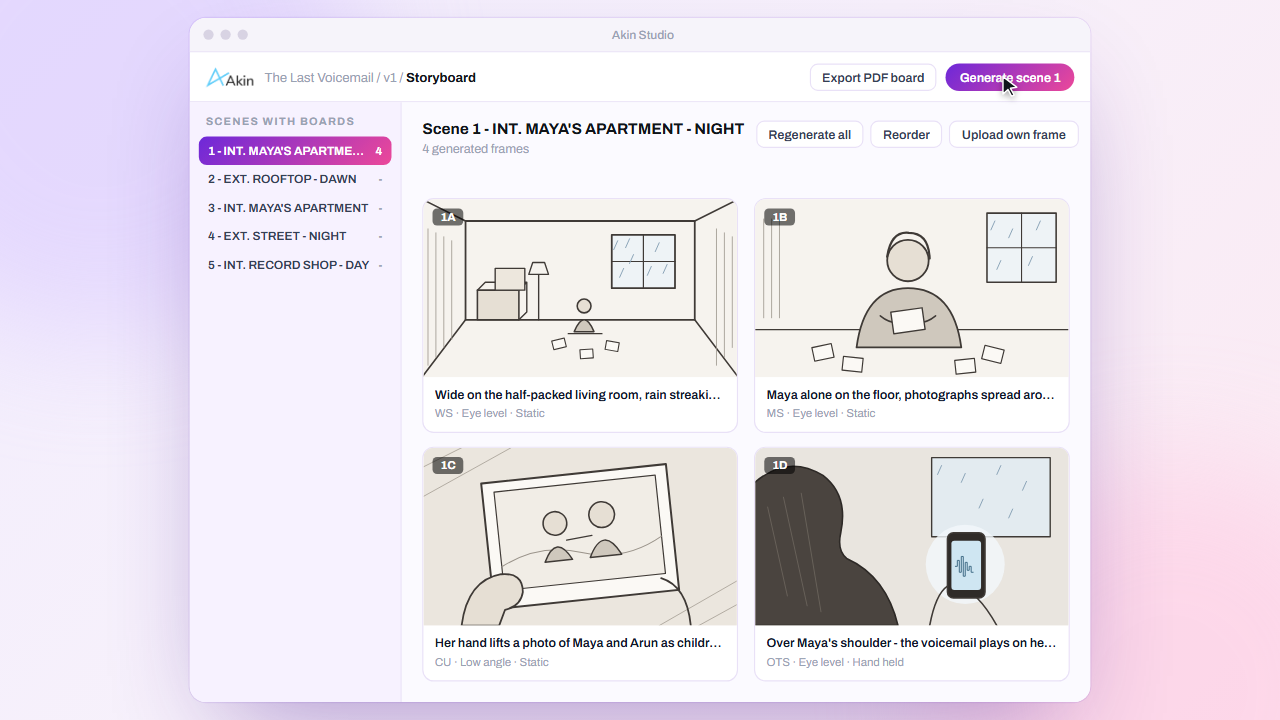
Iterate until it’s right
Generate alternatives or regenerate a single frame. Upload your own sketches or reference photos alongside the AI frames.
- Generate variations
- Regenerate any frame
- Upload custom frames and edit details
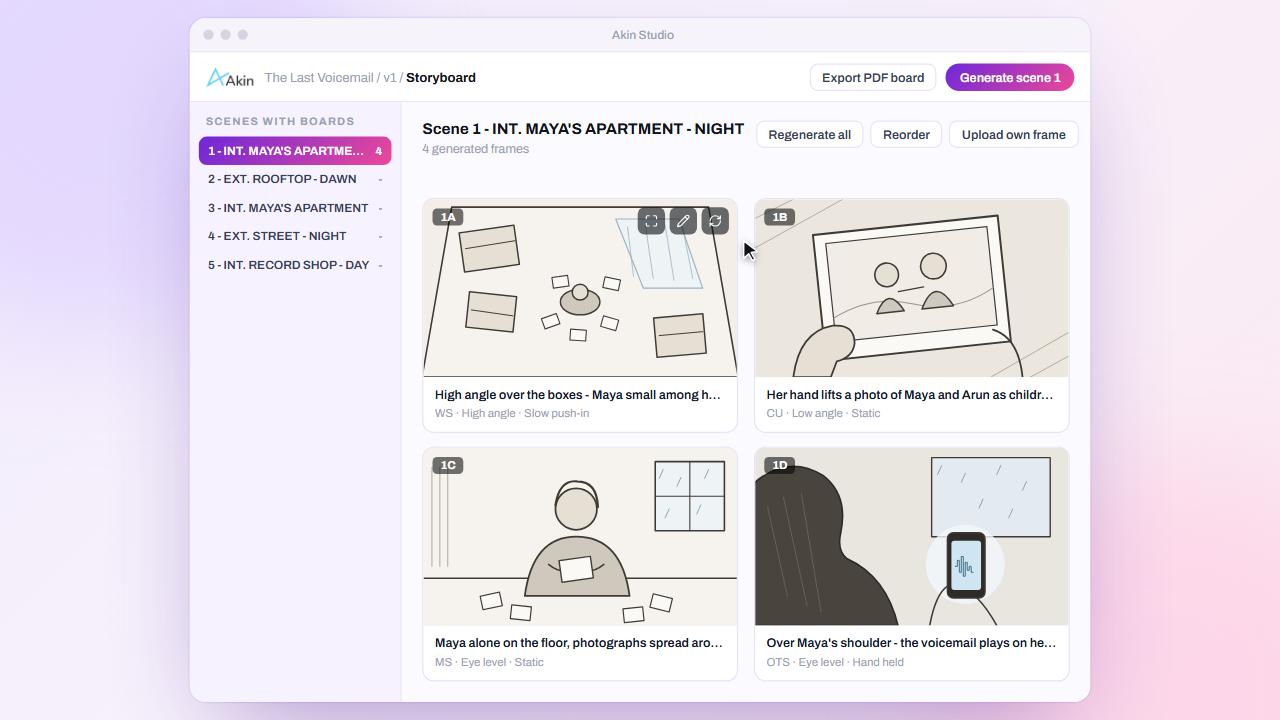
Arrange your shooting sequence
Drag and drop frames into order and review the whole scene on a board view.
- Drag-and-drop ordering
- Board view across the project
- Full-size frame preview
Explore more
Everything works together
AI Script Breakdown
Upload a screenplay PDF and get a scene-by-scene breakdown in minutes, not days.
ExploreAI Translation & Narration
One-click translation into Hindi, Hinglish and Marathi, with natural Hindi and English narration.
ExploreScene Planning
Mood tags, makeup & hair notes and mood boards for every scene.
ExploreCollaboration & Sharing
Scene comments, @mentions, live presence and secure share links.
ExploreReports & Exports
Day/night split, character analysis, mood arc and ready-to-use exports.
ExploreSee Akin Studio on your own script
Book a 30-minute walkthrough. Bring a screenplay and watch it get broken down, translated, narrated and storyboarded live.